Notes on the game’s development: missions, spacecraft tools and the findings you can collect. Updates are grouped by date and version.
Version 0.5.1
Steadier ground under the probe.
The mission list keeps current work first and completed history below it. Future assignments stay hidden until they become available.
A new optional Argus assignment puts sampled signals on your desk: compare interference patterns, adjust their timing and strength, and recover a service message. Keep a verified profile for later use. Dispatch also brings news beyond your own flights, from Earth's changing climate to shared science and disagreements over access to space-survey data.
The optional lunar basalt survey now contributes a new tool to the community: scanner-efficiency reduces scanner power use by 20%. Each ship can find and install it through the LibreCosmos package repository with pkg. A later Dispatch bulletin reports the survey and its contribution to the shared lunar resource map.
A polish release for the probe flight monitor: the terrain holds still, the camera settles gently near the ground, and the way back to the ship reads more clearly.
One ground from descent to ascent. Landing, sampling and takeoff keep the same saved local terrain. Heights stay fixed and detail levels nest, so the ground no longer ripples, and grid lines keep their place as the view moves across it. Closer views reveal more of the saved crater relief.
A calmer camera. Height, pitch and direction change smoothly near the ground, the view stays steady over uneven terrain, and detail fades in gradually across a wider, deeper picture. A vertical descent no longer invents forward motion. cat /mnt/probe-1/proc/camera shows the terrain and transition parameters in both interfaces.
No more unplanned laps. A rounding error could turn a vertical descent from a retrograde orbit into a full revolution around the body. The map and telemetry now share the same calculation.
The way home. Return-to-ship symbols are smaller at long range, with a measured distance and a clearly labelled logarithmic schematic.
Mission control has a room. In the browser you now hear the operator’s surroundings behind the game: fans, racks, the server room. The noise-cancelation service turns it down: systemctl stop noise-cancelation lets the whole room through, and noise-cancelation cancelation_level 0.5 sets how much it cancels. Desktop Stephen has the same switch and level in its toolbar.
A living link. Brief, mild interference occasionally passes through the probe’s picture, while telemetry stays readable and the LIVE feed continues. cat /mnt/probe-1/proc/link shows its level and cause; pause and saved games keep it, and time warp doesn’t speed up the flicker.
Version 0.5.0
A working desk for remote exploration.
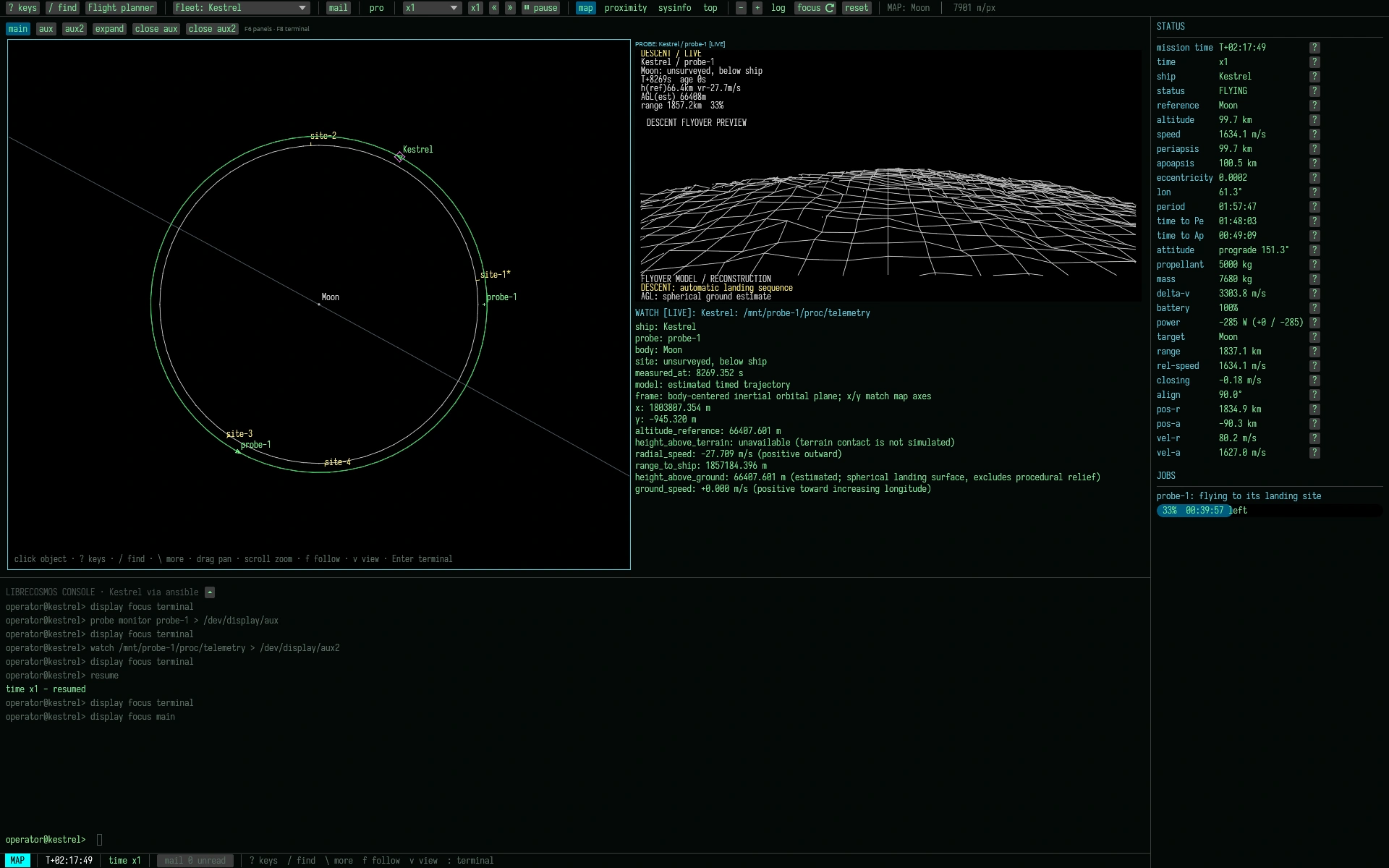
Keep the orbital map open while a probe sends back its view of the ground. LibreCosmosOS 0.5.0 brings more of an expedition’s instruments onto the same desk, in both the terminal and Desktop Stephen.
The release also includes the mission-control tools from the 13 October update: the flight planner, fleet selector, mail reader, probe images and lab spectra.
A first independent survey contract. After repairing Argus, Selene offers an optional comparison of two ordinary lunar basalts. Choose complementary sites, preserve the laboratory spectra and send a comparative report. The contract has no deadline and can run alongside another ship’s main assignment.
Inspect a candidate before launch. Open a landing site from an orbital scan, then rotate, tilt and zoom its local terrain view. Compare two candidates beside the map. The preview uses your saved survey, with coarse resolution and unknown fine detail clearly marked; copies and archived scans show the same terrain.
Follow the probe. A flight monitor shows a forward view over reconstructed terrain, estimated altitude, sampling and the return to the ship, and the map beside it tracks the probe around the body. Lost reception distorts the picture while keeping the last received data readable. The reconstruction remains an estimate, rather than a new measurement of the ground; open /mnt/probe-1/data/terrain.raw lets you inspect it.
Everything is a file. Read probe telemetry and logs under /mnt/probe-1/, keep a live file open with watch, or copy a reading for later study and transfer to mission control.
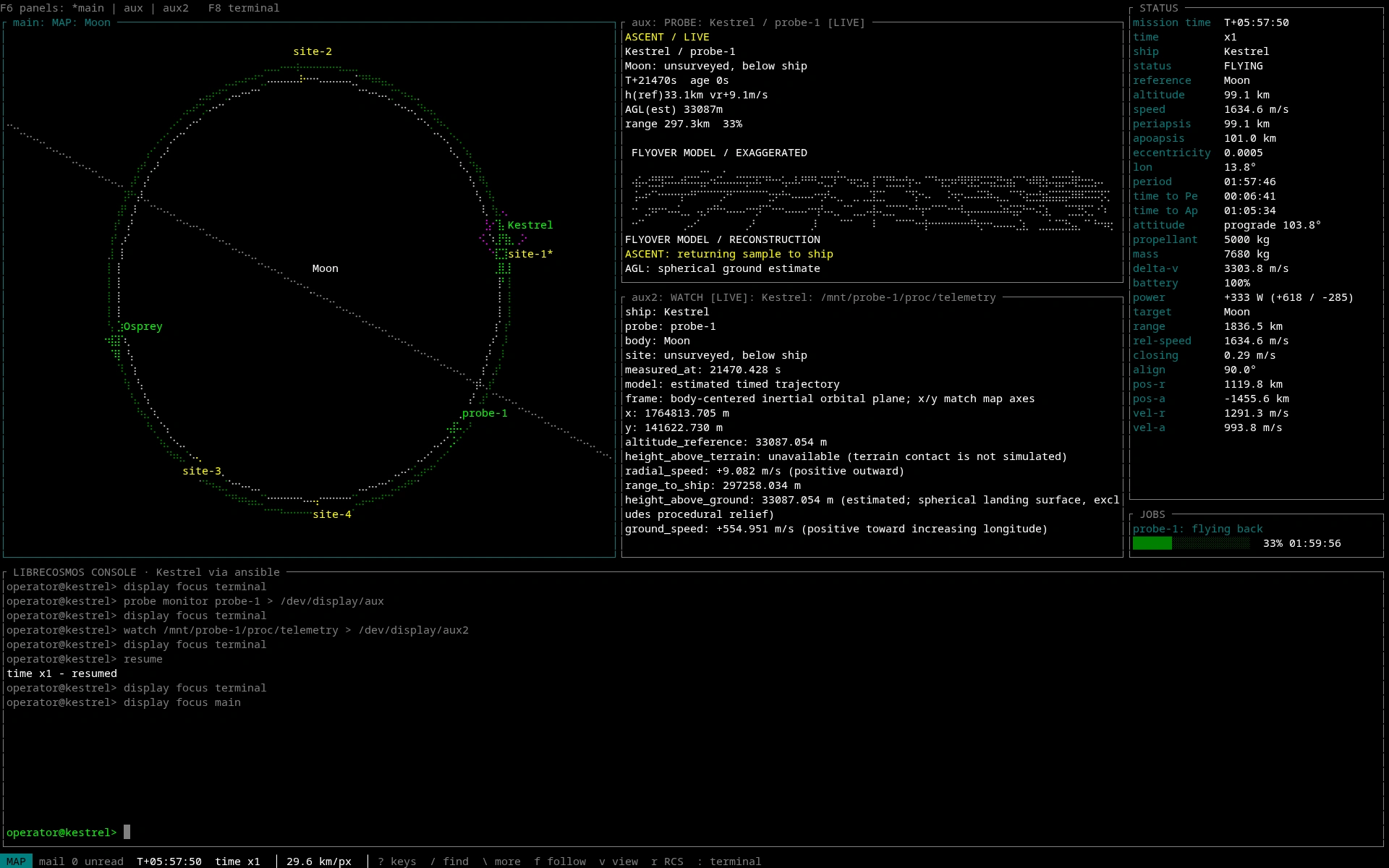
Arrange your instruments. Use up to three displays for the map, monitor and telemetry. Swap views without changing the ship you control; terrain angles and open displays survive a saved game. Small windows use tabs, and display preferences persist between sessions.
Help at the terminal.man site-preview explains the survey workflow, man config covers display preferences, and changelog --last lists the latest changes without leaving your ship.
Follow the descent.
Keep the Moon in view while the probe sends back its terrain reconstruction and telemetry.
Watch the return climb.
The same instruments in the terminal: a braille map, a flight monitor and a live file.
The latest work adds a flight planner, fleet controls and a mission inbox. Instrument records and notes from LibreCosmos Dispatch have a place on the operator’s desk too.
These additions shipped with version 0.5.0 on 15 October.
Flight planning. The graphical flight planner shows a transfer’s path, timing and fuel budget, with commands you choose when you’re ready.
Fleet and map controls. A permanent ship selector shows missions, current work and connection state. Click an object on the map to focus, target it or open its wiki page.
Mission mail. Read mission messages in a dedicated inbox and open attachments on the spacecraft that received them, or from your archive.
Instrument records. Open a probe’s landing-site image or a sample’s spectrum. Mission files are easier to reach from the graphical tools.
Dispatch and wiki. Community dispatches bring news from Earth and space. Received reports add notes to the wiki, so your campaign’s knowledge grows.
The ship displays now follow the recovered Tern-4 after it returns to service. Mission states and unread mail are easier to identify.
Recovered tug telemetry. Distance and approach displays follow the living Tern-4 after recovery. Its status shows the Wren attached to it.
Mission states. Active, available and locked missions are easier to tell apart. Completed missions are clearly marked and listed first.
Unread mail. New mail stands out, with an unread count and clear read/unread labels.
Directory browsing. Directory trees retain their shape, even when a long path needs more room.
Version 0.4.0
Radio missions and shared mission progress.
Two missions continue the investigation of Tern-4’s old records and the signal associated with them. More than one spacecraft can take part in a mission.
Six Years of Silence. Explore Tern-4’s records, find an old manifest, and send the evidence to Argus.
Argus Listens Again. Make radio observations and investigate whether the source of an old signal is still active.
Shared mission progress. More than one ship can share a mission’s progress. While one is observing, take control of another.
Research archive. Browse spacecraft files from mission control, open radio recordings, and study lunar terrain to choose a landing site.
Station correspondence. Stations and mission control send persistent mail with instructions and information about delivered files.